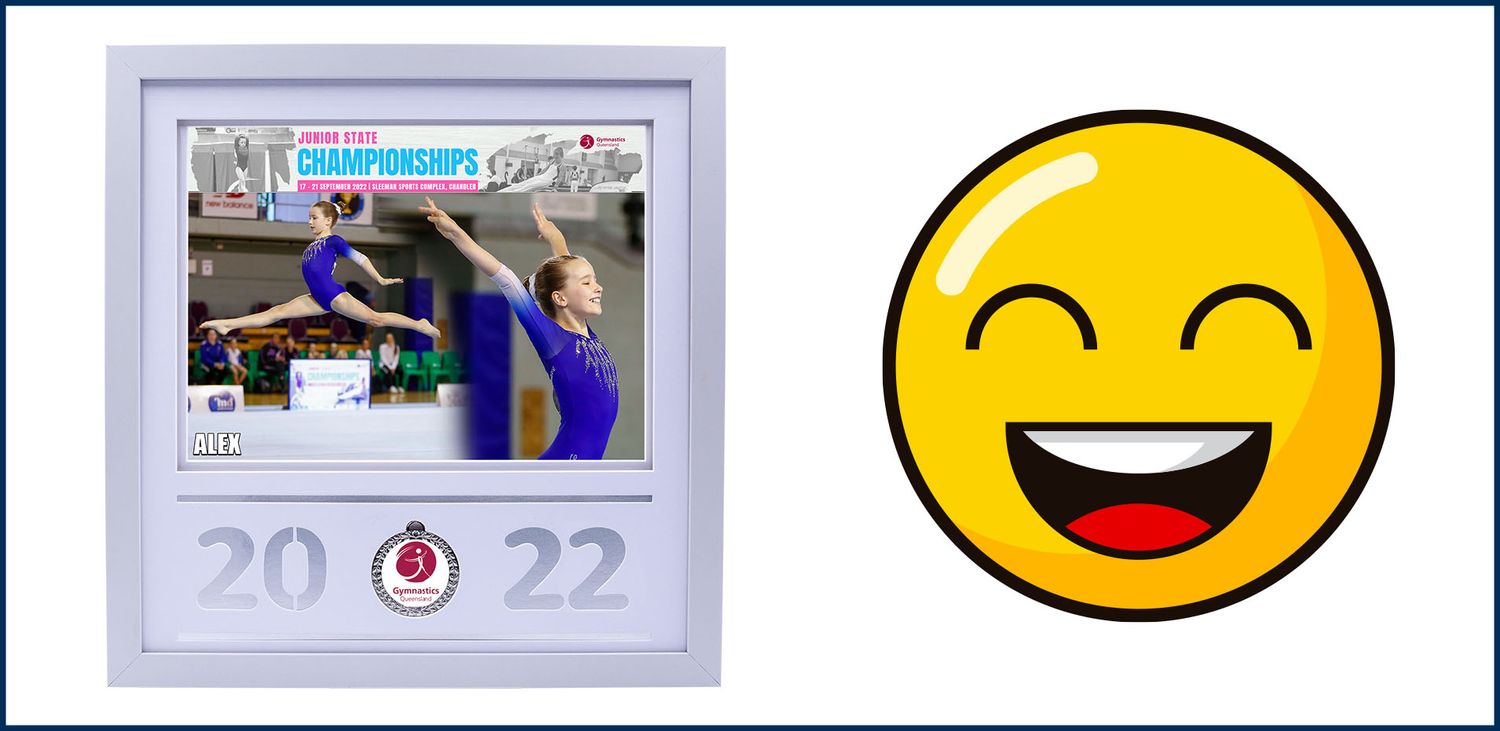
How to combine two gymnastics photos together
Contact us if you need any more information
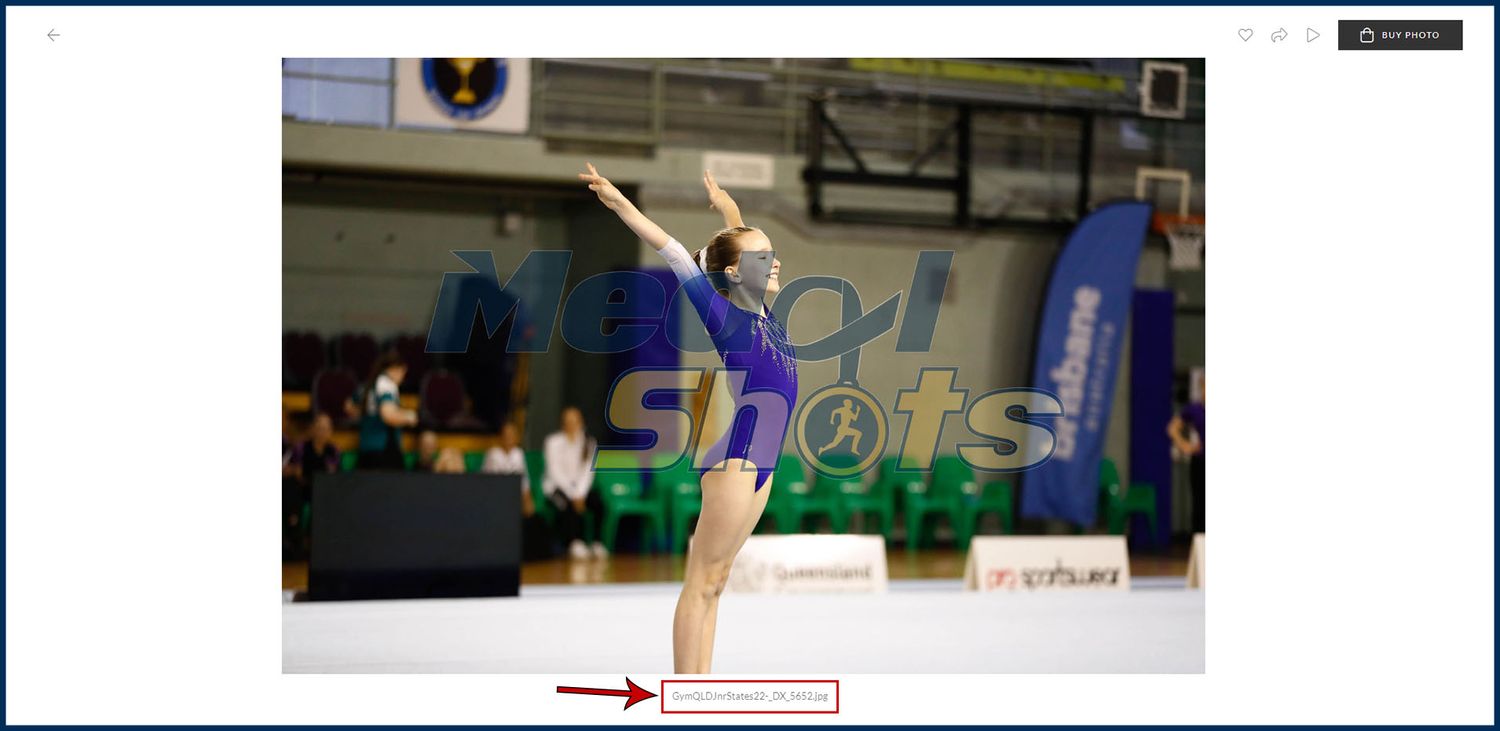
Step 1 - Find your first photo and note down the filename
When you click into the thumbnail of your chosen photo there is a filename/code underneath the image. Take note of this before finding your second photo.
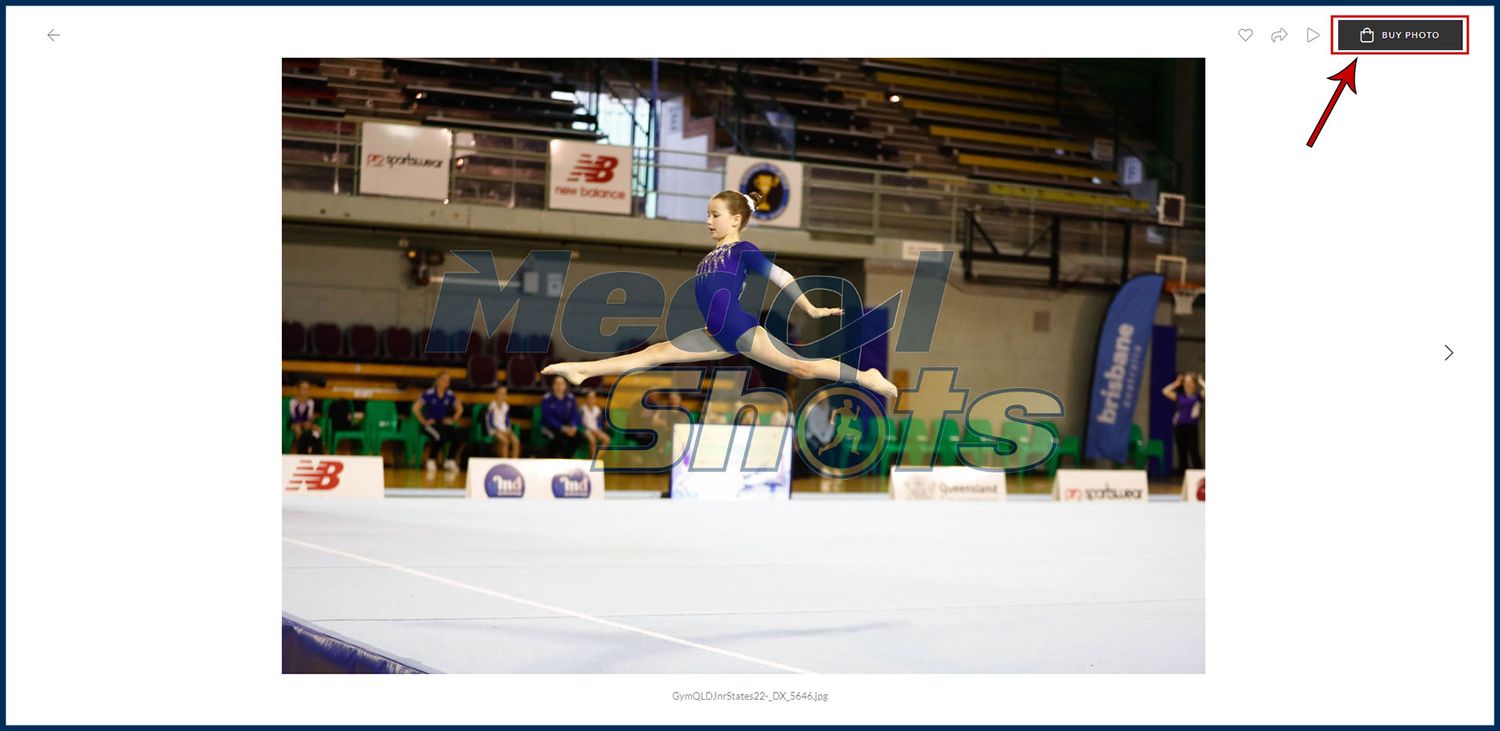
Step 2 - Find your second photo and add to cart
When you find your second photo you, click on the 'Buy Photo' button at the top of the page.
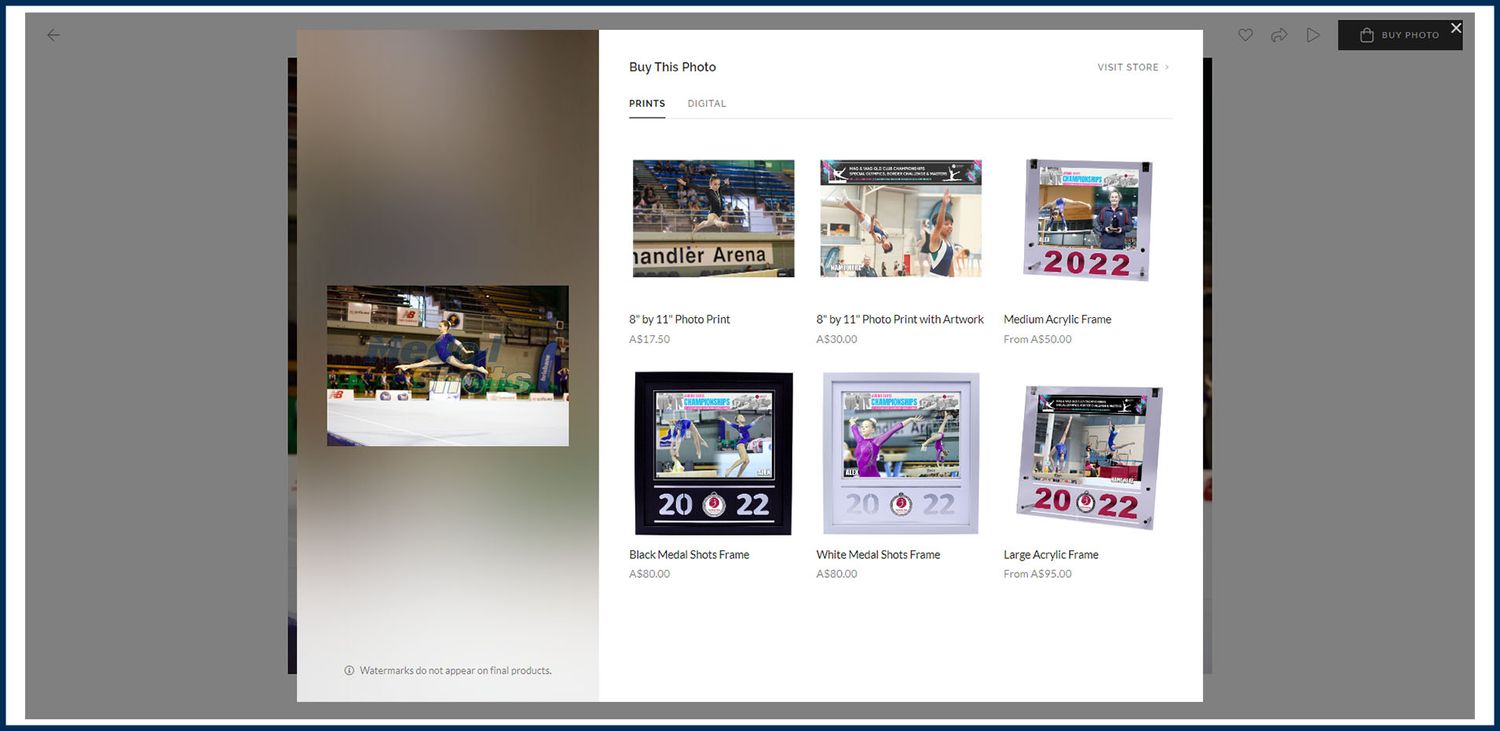
Step 3 - Choose your product
Click on your desired product and add it to the cart. The following products include two photos in the price.
Photo Print with Artwork, Medium Acrylic, Black Frame, White Frame & Large Acrylic.
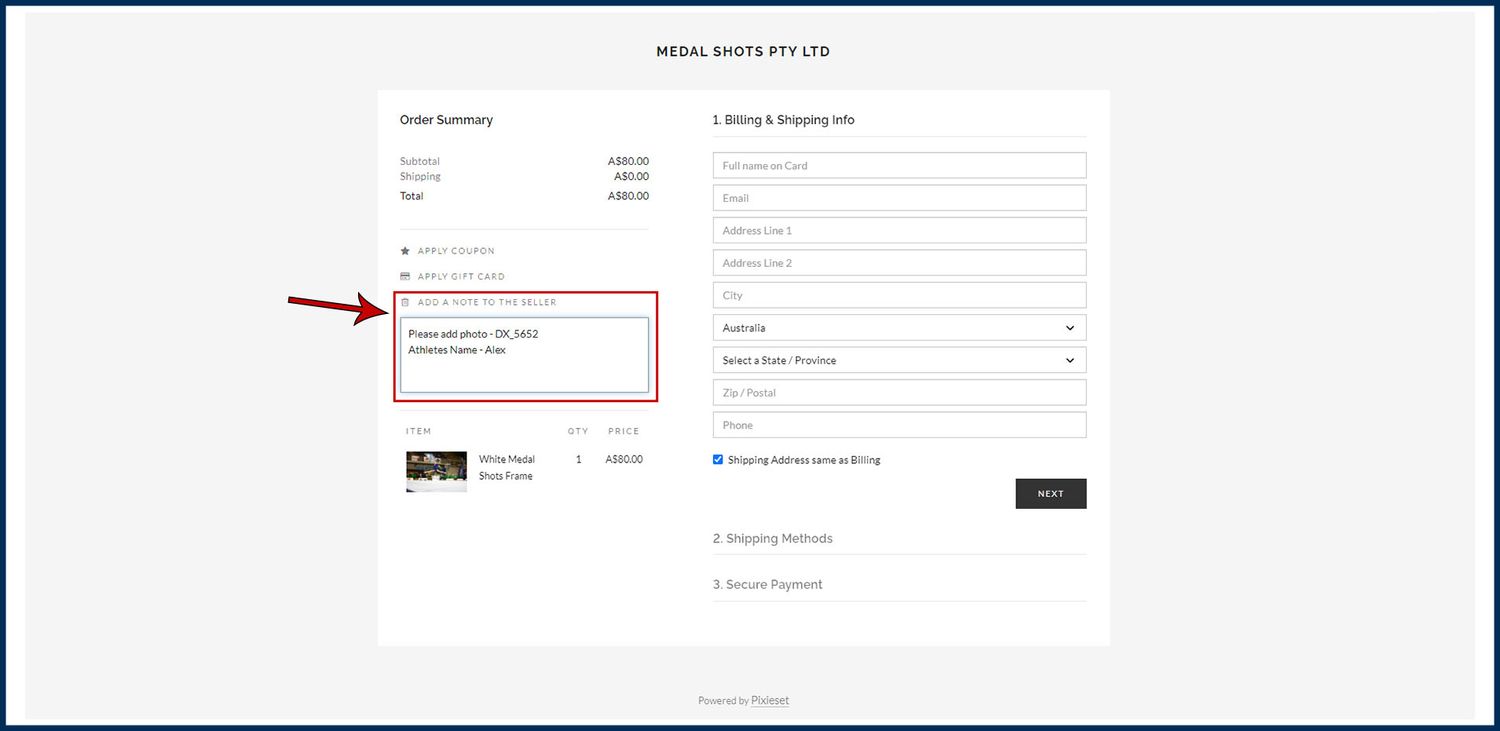
Step 4 - Go to the checkout and add note to the seller
In the checkout you can click 'Add a note to the seller'. Here you can add your filename/code of the photo you chose earlier + your athletes name.
Step 5 - Approval prior production
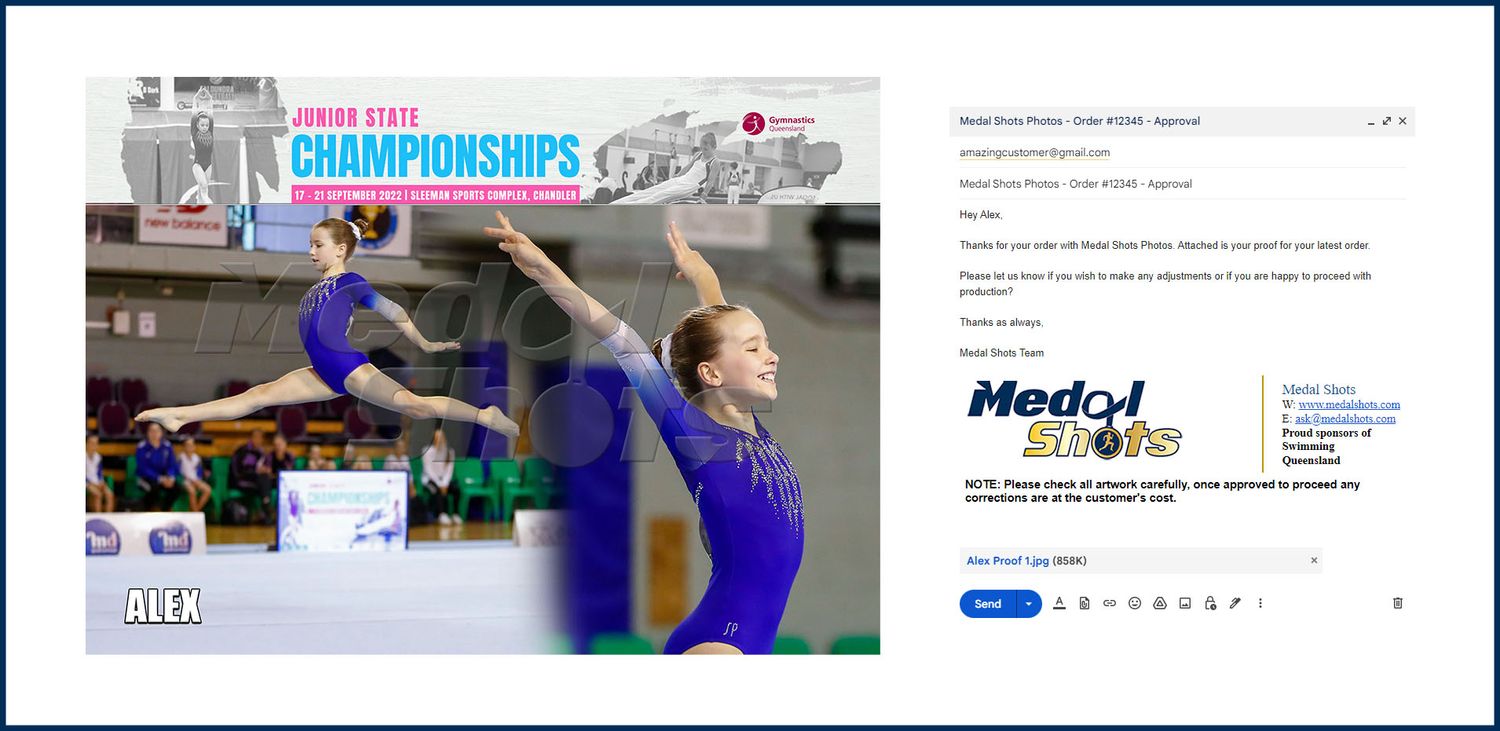
Our team will send you artwork approval before we go ahead with production. This is a chance for you to make any adjustments if required.
Step 6 - Production and Postage
Once your photo has been approved for production, our team will have it sent out to you within 3-5 business days.